Evaluaciones en computadoraExámenesIA
AI question generation for Canvas and Moodle: two paths
Schools can keep Canvas or Moodle while using examina.io for source-backed AI question authoring, native question-bank exports or complete LTI assessment delivery with grade return.
Schools and universities often want AI-assisted question authoring without replacing the learning management system that already holds their courses, enrolments, assignments and grades. An AI question generator for Canvas or Moodle should fit that course workflow rather than create a second one.
The practical decision is not whether to keep Canvas or Moodle. It is where each part of the assessment workflow should happen.
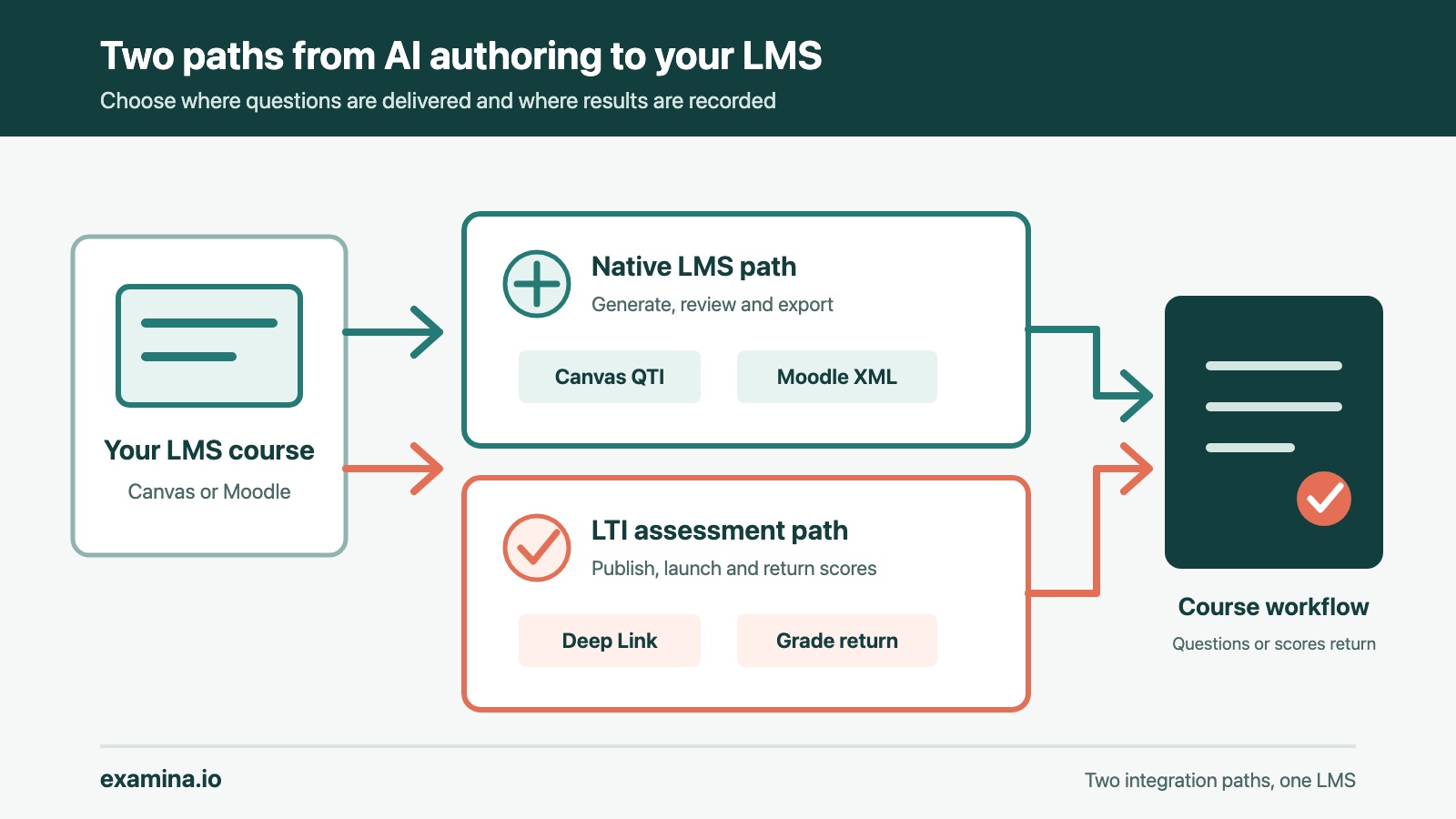
With examina.io, an institution can use AI-assisted authoring to create reviewed questions and then import a native copy into its LMS. Or it can publish the assessment in examina.io, place it in the course through LTI 1.3 and return the result to the LMS gradebook.
Those paths solve different problems. Choosing between them early prevents duplicate question banks, unclear ownership and a pilot that tests the wrong workflow.
Can schools use examina.io without replacing their LMS?
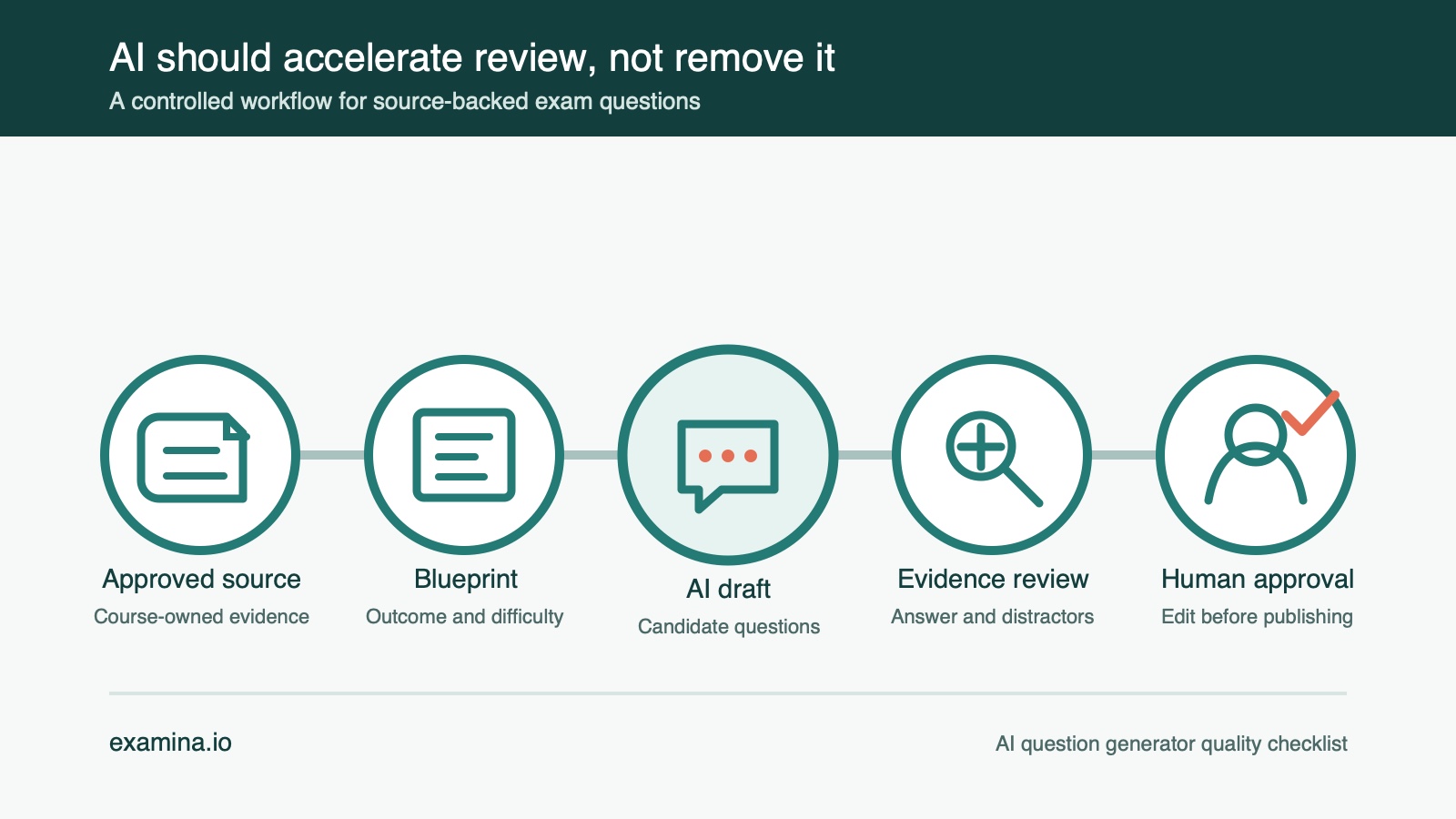
Yes. Both paths can begin inside a Canvas or Moodle course. An instructor opens the configured examina.io tool, creates or reopens an authoring draft, adds approved source material and generates question candidates. Every candidate remains a draft until a person reviews it against a consistent quality checklist for AI-generated questions.
The paths separate after review:
- Native LMS delivery: export the accepted questions and import them into the LMS question bank. Canvas or Moodle delivers and scores the assessment.
- LTI assessment delivery: publish the assessment in examina.io and return a course link through LTI Deep Linking. examina.io delivers the assessment, and the completed score is returned through Assignment and Grade Services.
The choice determines which system owns the delivered assessment. It also determines where later edits must be made and which assessment controls are available during a sitting.
Path 1: generate questions, then keep delivery in the LMS
This path suits a department that wants help creating questions but intends to keep its existing quiz and gradebook workflow.
The instructor can generate source-backed candidates from course material, check the wording, answers, evidence and point values, and then choose a native export. examina.io produces a Canvas QTI package or a Moodle XML file for the supported question types.
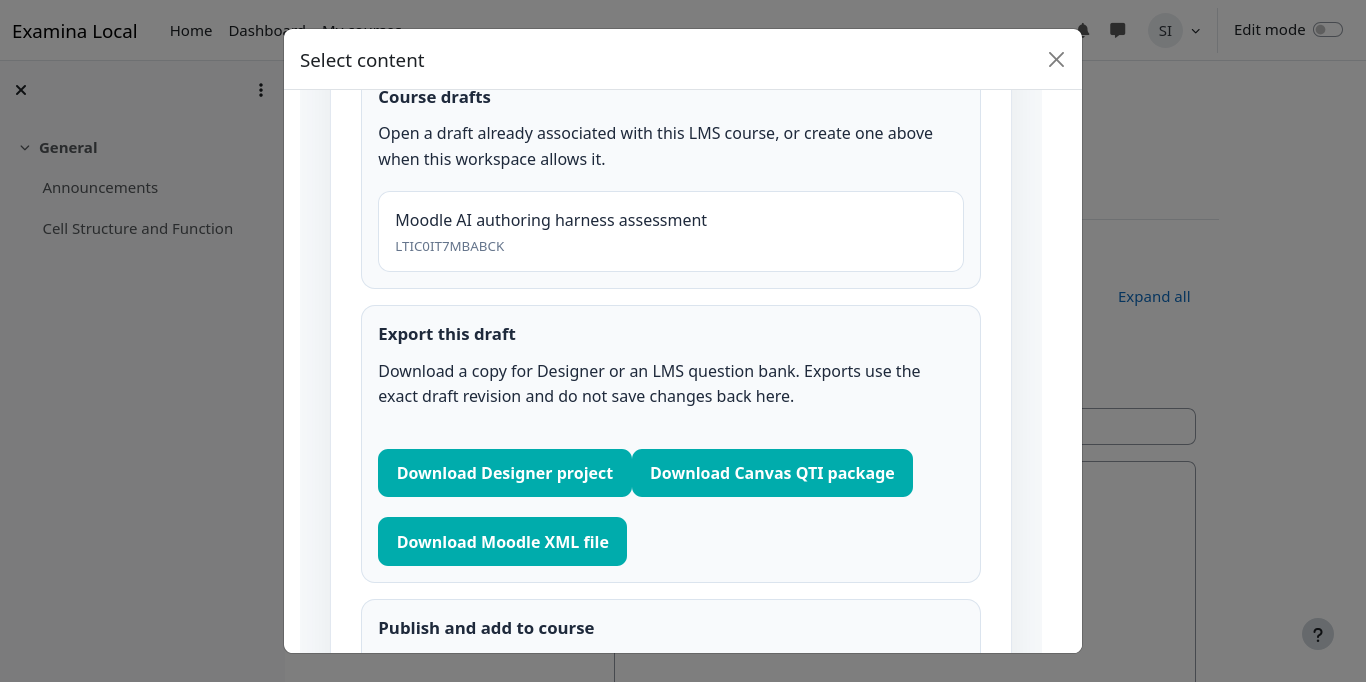
A reviewed draft can become a native LMS question-bank copy or an examina.io assessment.
After import, the questions belong to the LMS copy. That is useful when instructors need to combine them with an established bank, use familiar LMS quiz settings or deliver a routine knowledge check without an external assessment launch.
The boundary is important: an export is a one-time copy, not synchronisation. Editing the Canvas or Moodle question does not update the examina.io draft, and changing the draft does not revise a question already imported into the LMS.
Compatibility also needs a deliberate check. The current Canvas export targets classic question banks, not New Quizzes. Moodle XML can represent the supported question families, but some multiple-select scoring choices do not have identical semantics. examina.io therefore asks the instructor whether to omit an affected question or convert it to Moodle partial credit. The imported question should always be previewed before it reaches learners.
Path 2: deliver the assessment through LTI 1.3
The second path is for an institution that wants the LMS to remain the course entry point while examina.io runs the assessment.
An LMS administrator first registers examina.io as an LTI 1.3 tool and enables the services the institution intends to use. Deep Linking lets an instructor choose a published assessment while configuring the course activity. Assignment and Grade Services returns the completed numeric score to the corresponding gradebook item. Course-roster access is optional and should remain disabled unless the workflow needs it.
The learner opens the assessment from the course without signing in to examina.io separately. The launch binds the learner, course, activity and selected publication together rather than relying on a copied public exam URL.
This path is the stronger fit when the assessment needs examina.io delivery controls, identity verification, live proctoring or its reporting workflow. Those controls remain optional and should be selected according to the consequence of the assessment rather than applied to every quiz.
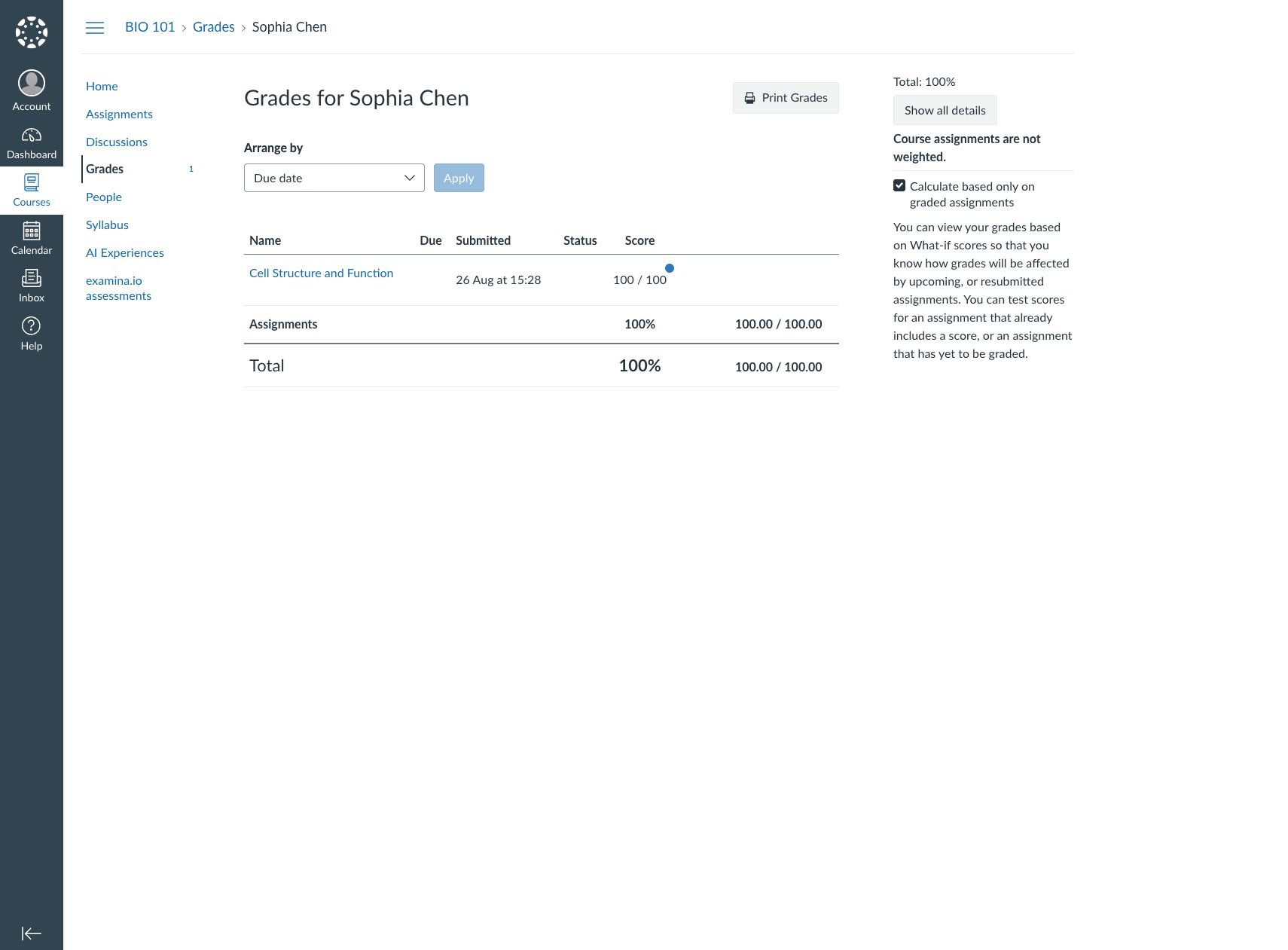
Canvas receives the result under the course assignment created for the assessment.
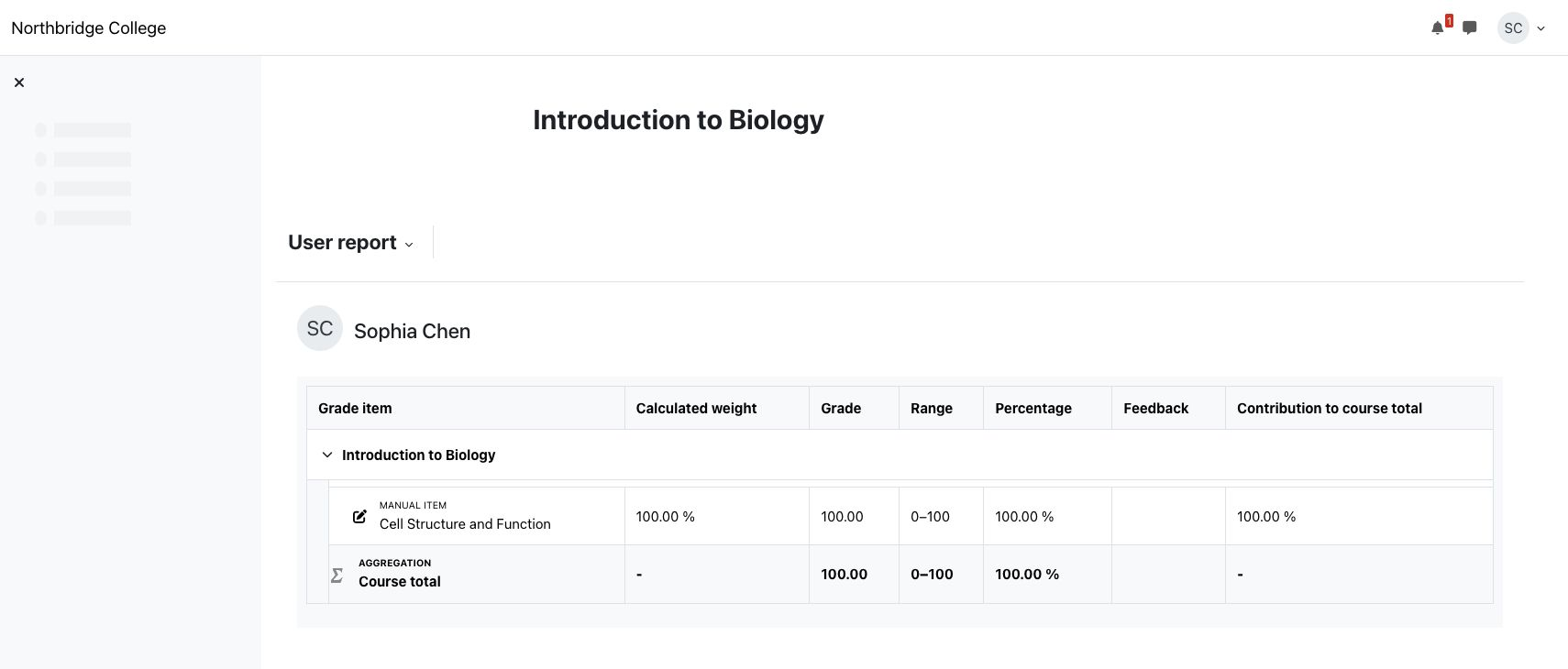
Moodle records the returned result against the external-tool activity and learner.
A grade return is queued separately from the learner's submission. A temporary LMS interruption therefore does not need to turn a completed exam into a failed submission. The result may arrive after a short delay, so the pilot should test recovery and reconciliation as well as the ideal path.
Choose the path by what must stay native
Choose native LMS delivery when
- Canvas or Moodle should store and deliver the assessment;
- instructors need the questions inside an established LMS question bank;
- learners should take the ordinary LMS quiz; and
- the institution accepts a manual, one-way import and will review it after each export.
The LMS gradebook remains the primary score record. Any later change must be made to the imported LMS copy or included in a newly exported copy.
Choose LTI assessment delivery when
- examina.io should store and deliver the published assessment;
- the course needs identity, proctoring, monitoring or examina.io reporting controls;
- instructors should select the assessment through Deep Linking instead of importing questions; and
- the completed score should return to the LMS gradebook through Assignment and Grade Services.
Learners still begin from the LMS course activity, while examina.io remains the authoritative assessment record.
An institution does not need one answer for every course. A formative quiz may stay native while a certification exam uses the LTI assessment path. What matters is that instructors know which copy is authoritative before they start editing.
Pilot one course before an institutional rollout
Use a non-production course and fictional users for the first complete test. The pilot should prove more than successful installation.
For the native LMS path:
- Generate a small set of questions from approved course material.
- Review every answer, source reference and point value.
- Import the package into Canvas or Moodle.
- Preview the imported questions and verify the scoring behaviour.
For the LTI path:
- Confirm the registration, deployment and permitted LTI services.
- Add a published assessment through the LMS content picker.
- Launch it as a fictional learner without a second sign-in.
- Submit it and verify the correct gradebook item receives the result.
- Reopen or refresh the activity and confirm it does not create duplicate grade items.
The pilot should also document who can create drafts, who can publish, what learner information the LMS shares, and who investigates a missing result. Integration is reliable when those operational responsibilities are clear, not merely when the first launch succeeds.
Start with the narrowest useful integration
Schools do not have to choose between keeping their LMS and adopting better assessment tooling. They can begin with AI-assisted question generation and a reviewed native export, then use LTI delivery where the assessment requires stronger controls or a dedicated operating workflow.
Read the complete AI authoring workflow for Canvas and Moodle, follow the administrator guides for Canvas or Moodle, or create an examina.io account to evaluate the authoring workflow with your own approved material.